Quick start
Up and running in minutes
Here are the four steps that will get your sales pipeline under control in Revolaner — fast, simple, and without any training.

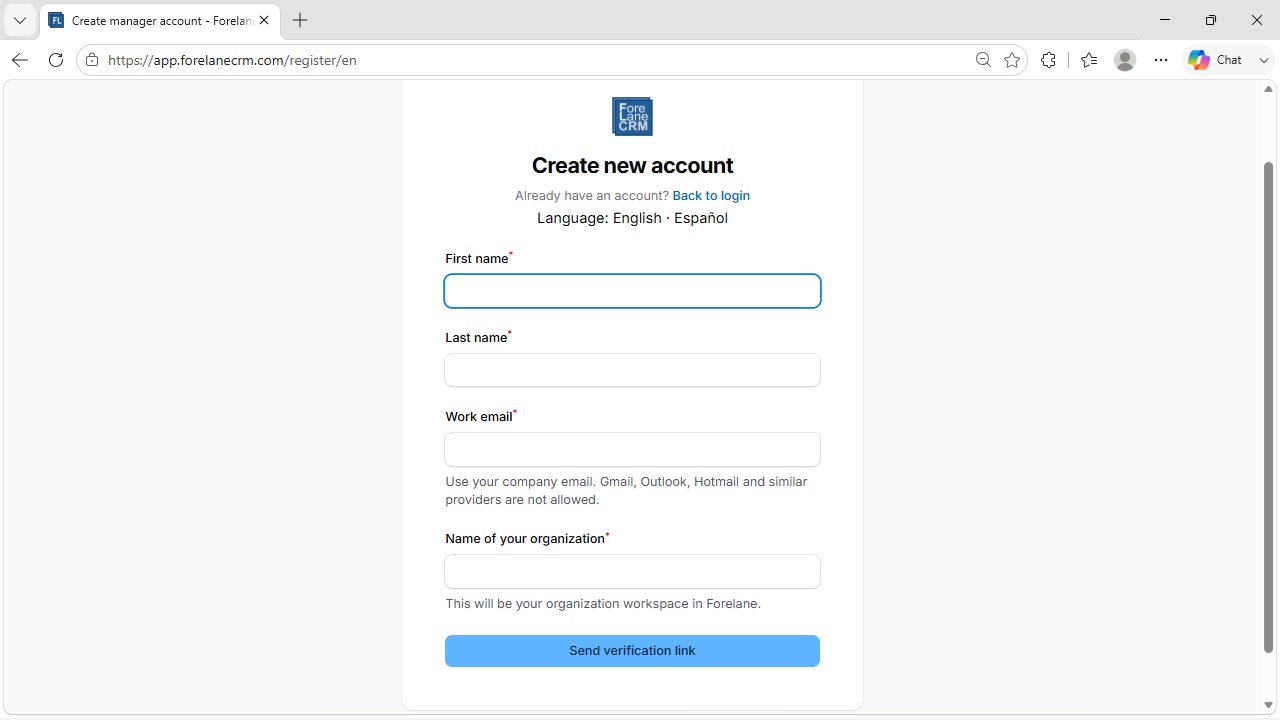
Create your manager account
First, create a manager account for your organisation. As a manager you will have full visibility of your team’s pipeline and revenue forecast.
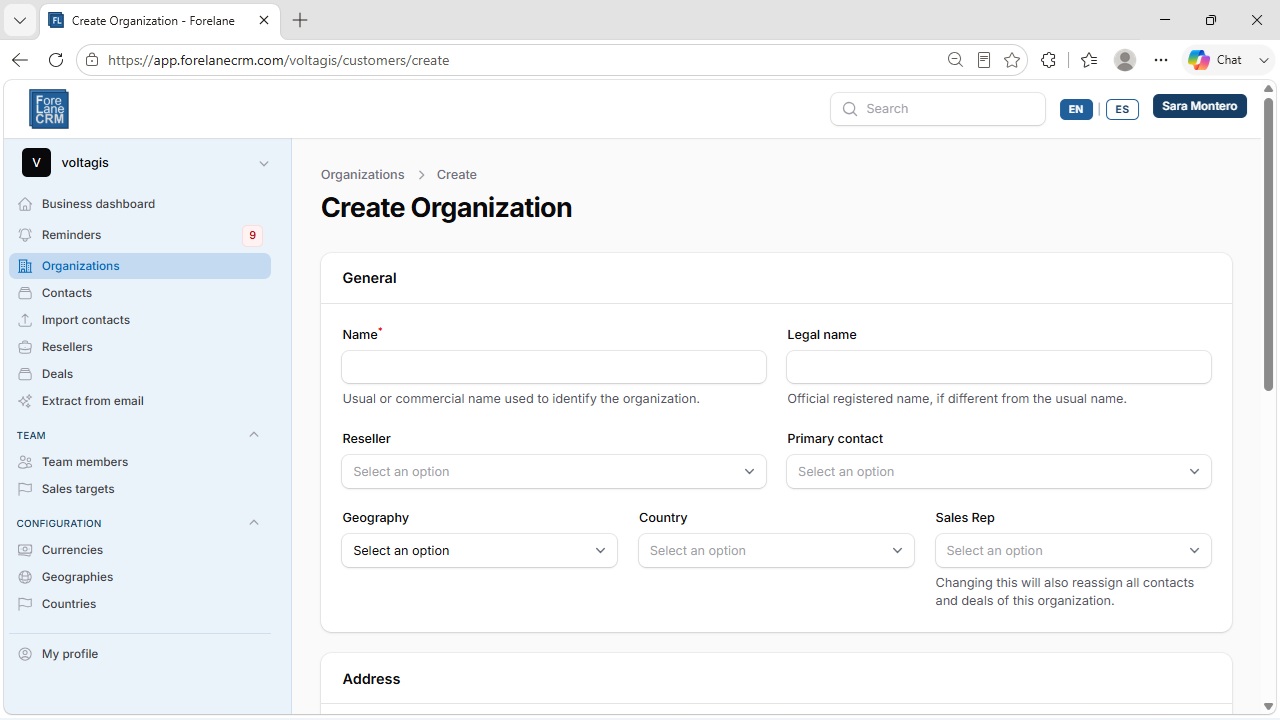
Add your organisations
Start by creating the organisations that correspond to your customers.
In five minutes you can have a good number of organisations in place. If you already have a list, use the import function to bring them all in at once.
Notice that all Revolaner functions are clearly visible, making navigation straightforward and practical from day one.
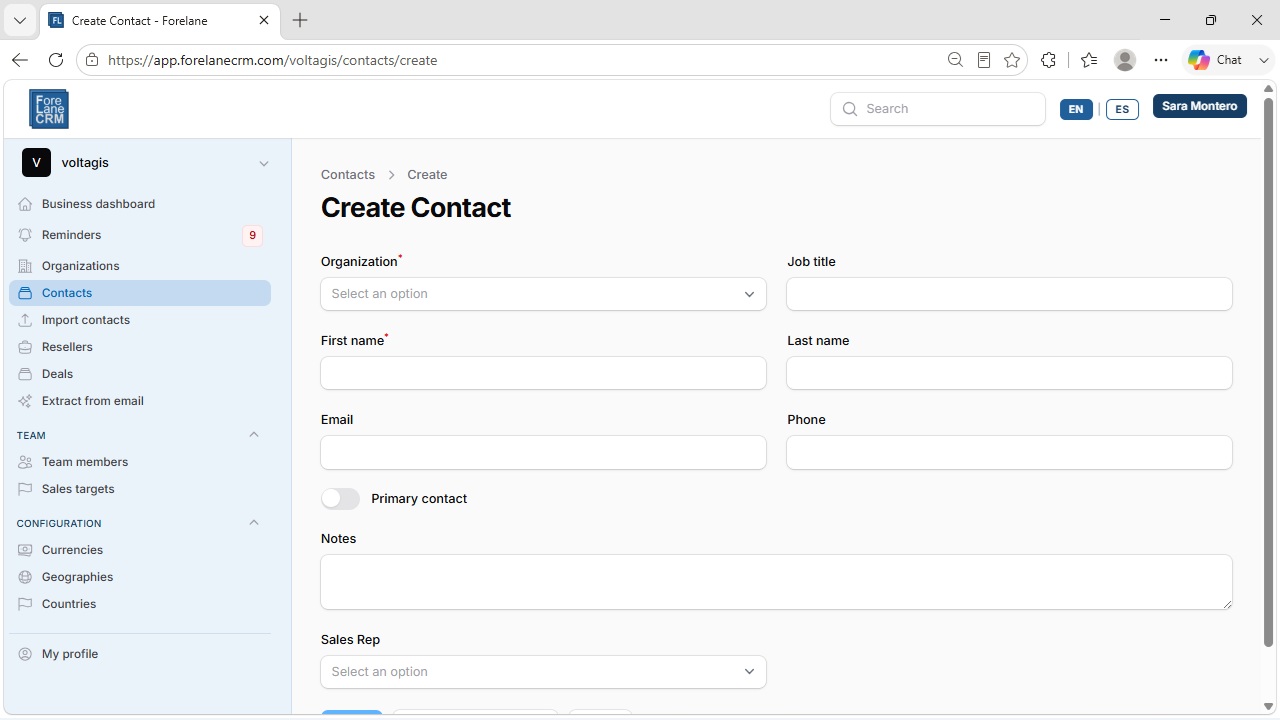
Add your contacts
Next, create the contacts linked to the organisations you just added.
This can also be automated using the import contacts function.
With both imports combined, you could have all your organisations and contacts in Revolaner in just a few minutes — even if there are hundreds or thousands of them.
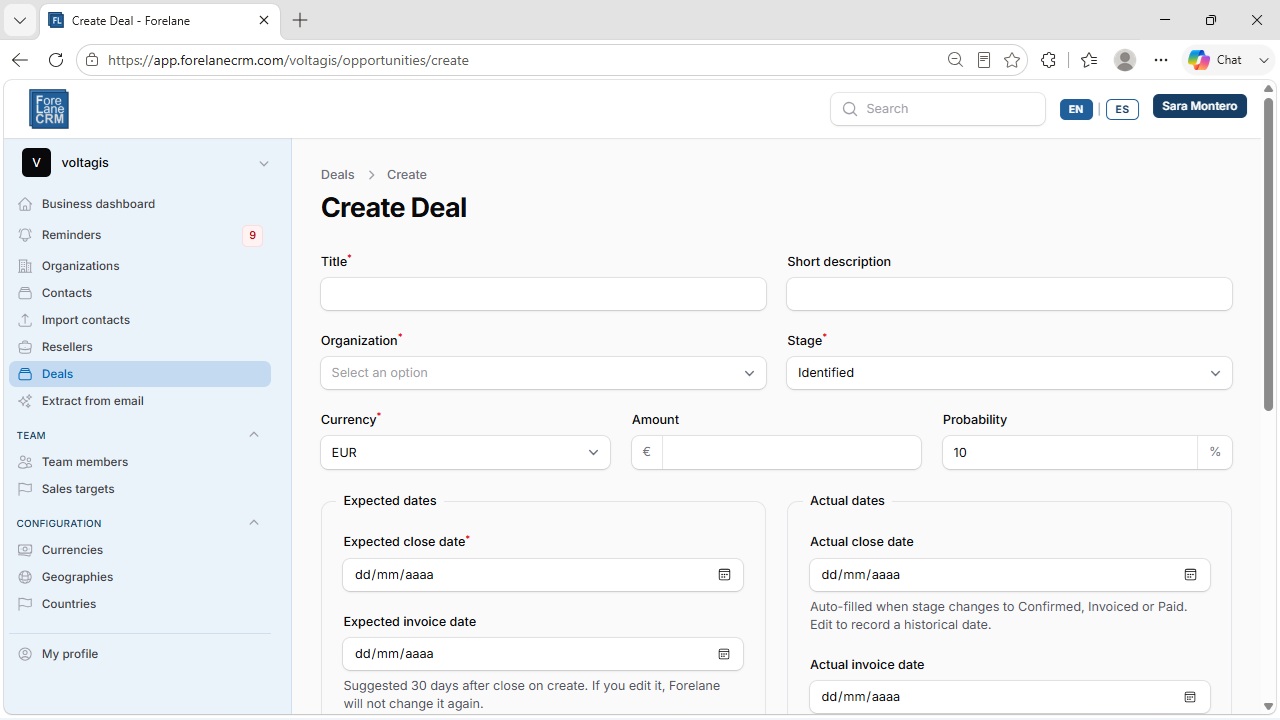
Create your first deal
Now you can start creating deals — the sales processes you want to track and forecast.
Creating a deal is intuitive and includes context hints that clearly explain each concept as you go.
You can also import deals in bulk, making the whole onboarding process even faster.
Congratulations — Revolaner is up and running! 🎉
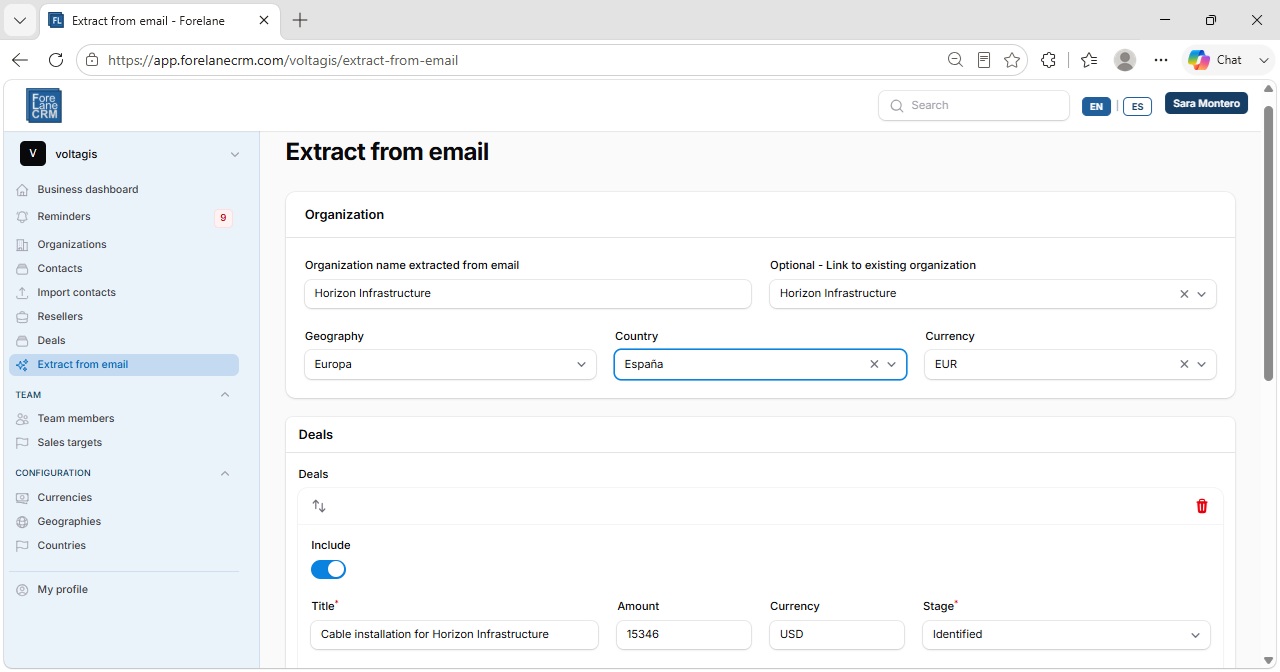
Let AI capture deals for you
Once you’re up and running, the AI assistant will help you create deals quickly and accurately.
Simply forward the emails that contain your sales information to Revolaner. The AI will extract all the key data automatically.
Before creating each deal, Revolaner will show you a validation screen so you can confirm that all the information is correct.
What’s next?
A few more settings to get full control of your business
- Create manager or sales rep accounts for your entire commercial team.
- Define geographies, countries and currencies to classify your organisations, customers and team.
- Set your sales targets and track progress directly from the dashboard.